ExpenWise: Expense Management App Design
ExpenWise: Expense Management App Design
Project Overview
Project Name: ExpenWise – Expense Management App Design
Type: Mobile App
Role: UI/UX Designer
Tools Used: Figma
Made By:
Ajay
Ajay
Problem Statement
Managing daily expenses is often chaotic, and most existing apps are either too complex or too minimal to be effective. Users struggle with tracking unwanted expenses, monitoring transactions, and getting a clear picture of their spending habits.
Goals & Objectives
Goals:
Design a simple yet powerful mobile app for tracking expenses.
Make transaction management quick, intuitive, and visually clear.
Provide actionable insights to help users control unnecessary spending.
Objectives:
Research how people currently track daily expenses and identify pain points.
Create a clean, intuitive interface that balances simplicity and functionality.
Implement features for easy transaction categorization, recurring expense tracking, and quick data entry.
Include visual reports and insights to help users make better financial decisions.
Validate the design through usability testing.
Research Process
Methods:
Competitive analysis of popular expense-tracking apps.
Interviews with 5 users who track expenses manually or digitally.
Key Findings:
Users dislike cluttered dashboards.
Quick add functions are crucial for adoption.
Visual summaries (charts) are preferred over long lists of numbers.
Design Thinking Approach
Empathize: Listened to users’ struggles with tracking small daily expenses.
Define: Key problems included app complexity, poor categorization, and lack of insights.
Ideate: Sketched user-friendly flows for adding, viewing, and analyzing expenses.
Prototype: Designed high-fidelity mobile screens in Figma.
Test: Collected feedback to refine navigation and data visualization.
User Persona
Name | Ananya Mehta |
|---|---|
Age | 27 |
Location | Bengaluru, India |
Description | A working professional who wants to track spending effortlessly and avoid unnecessary purchases. |
User Goals | • Quickly add daily expenses • View spending summaries • Set monthly budgets |
Frustrations | • Complicated interfaces in finance apps • No reminders for recurring expenses • Hard to analyze where money goes |
Tracking Frequency | Daily |
Tech Comfort | High |
Device Usage | Mobile only |
User Journey Map
Stage 1 – Onboarding
Ananya downloads ExpenWise hoping it will make expense tracking easier. The onboarding flow is simple, explaining features clearly. “This seems quick to set up.”
Design Opportunity: Keep onboarding minimal and skip-friendly.
Stage 2 – Adding Expenses
She makes a purchase and logs it instantly via the “Quick Add” button.
Design Opportunity: One-tap entry with category tagging for speed.
Stage 3 – Tracking & Reviewing
She checks her dashboard to see spending patterns. The pie chart instantly shows her overspending on dining out.
Design Opportunity: Visual summaries for quick understanding.
Stage 4 – Monthly Insights
At month’s end, she reviews her expense report and adjusts her budget for the next month.
Design Opportunity: Provide easy-to-read reports with suggested savings tips.

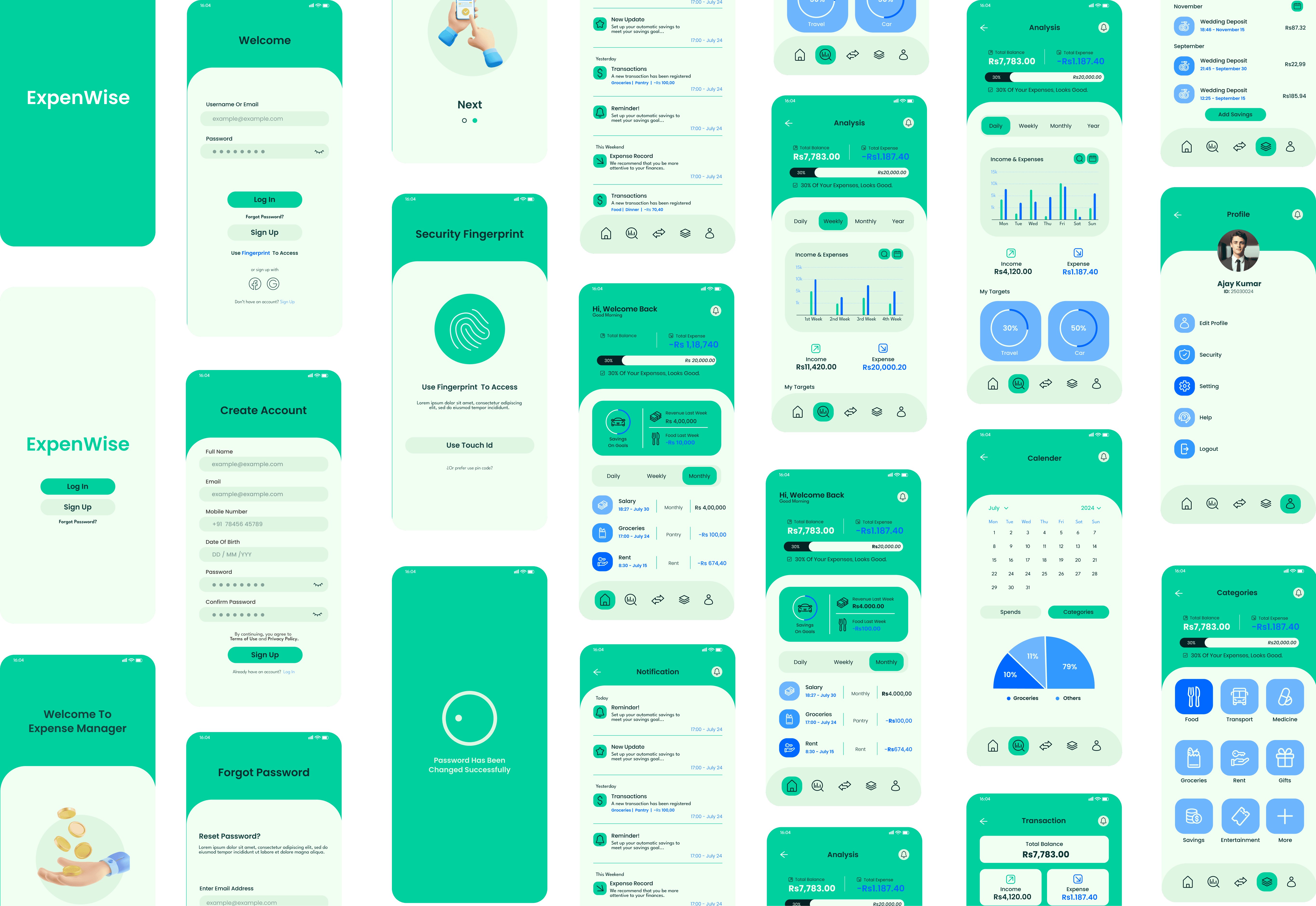
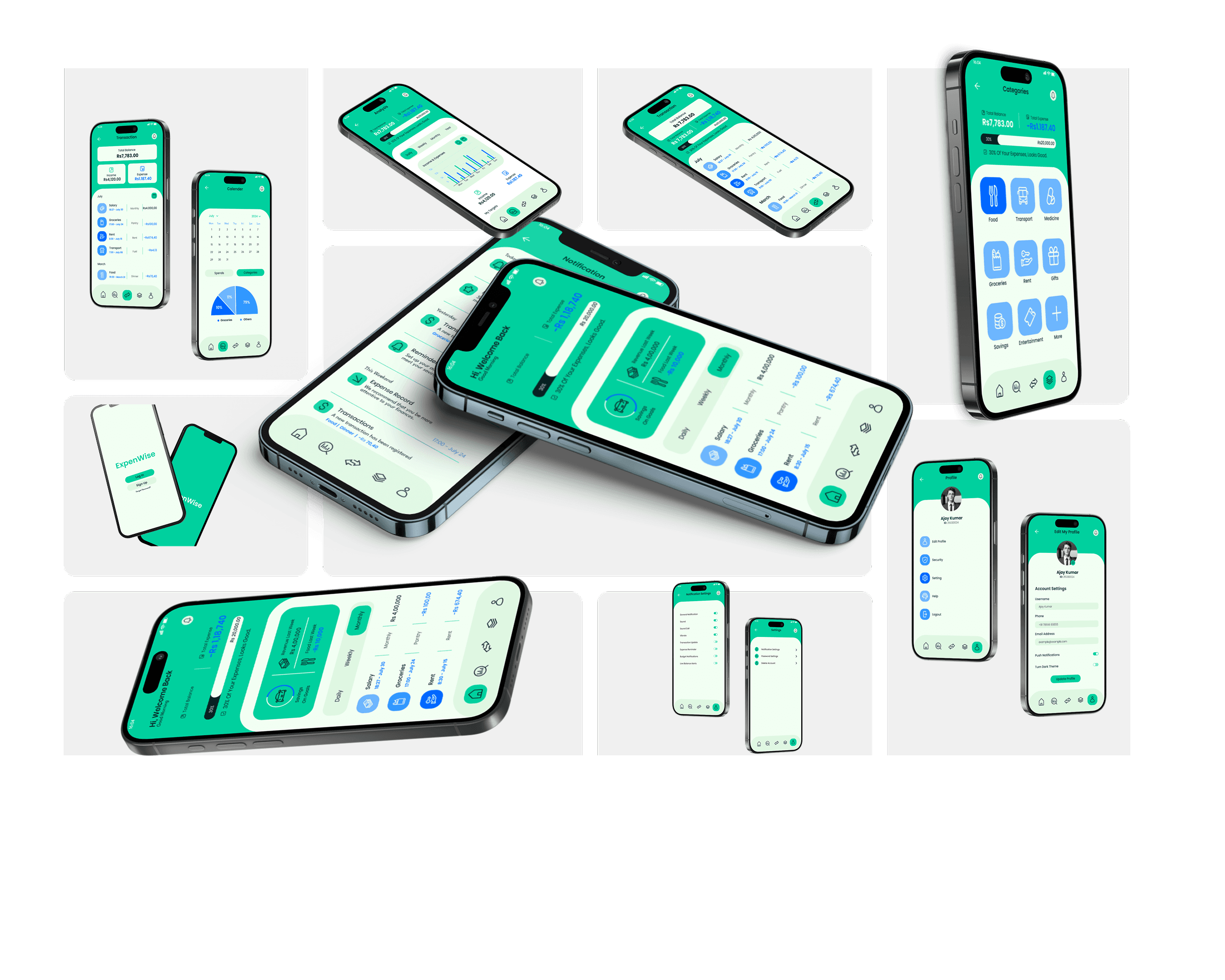
Final Design & Features
Quick Add for instant expense logging.
Categorization & recurring expense reminders.
Interactive dashboard with charts and budget indicators.
Outcomes & Impact
Reduced average time to log an expense to under 5 seconds.
Increased user retention in testing due to clean interface and visual insights.
Conclusion
ExpenWise was designed as a complete, end-to-end expense management app that prioritizes speed, clarity, and insights. By simplifying the logging process and providing visual financial summaries, the app empowers users to take control of their spending habits and make informed financial decisions.
Recent Designs

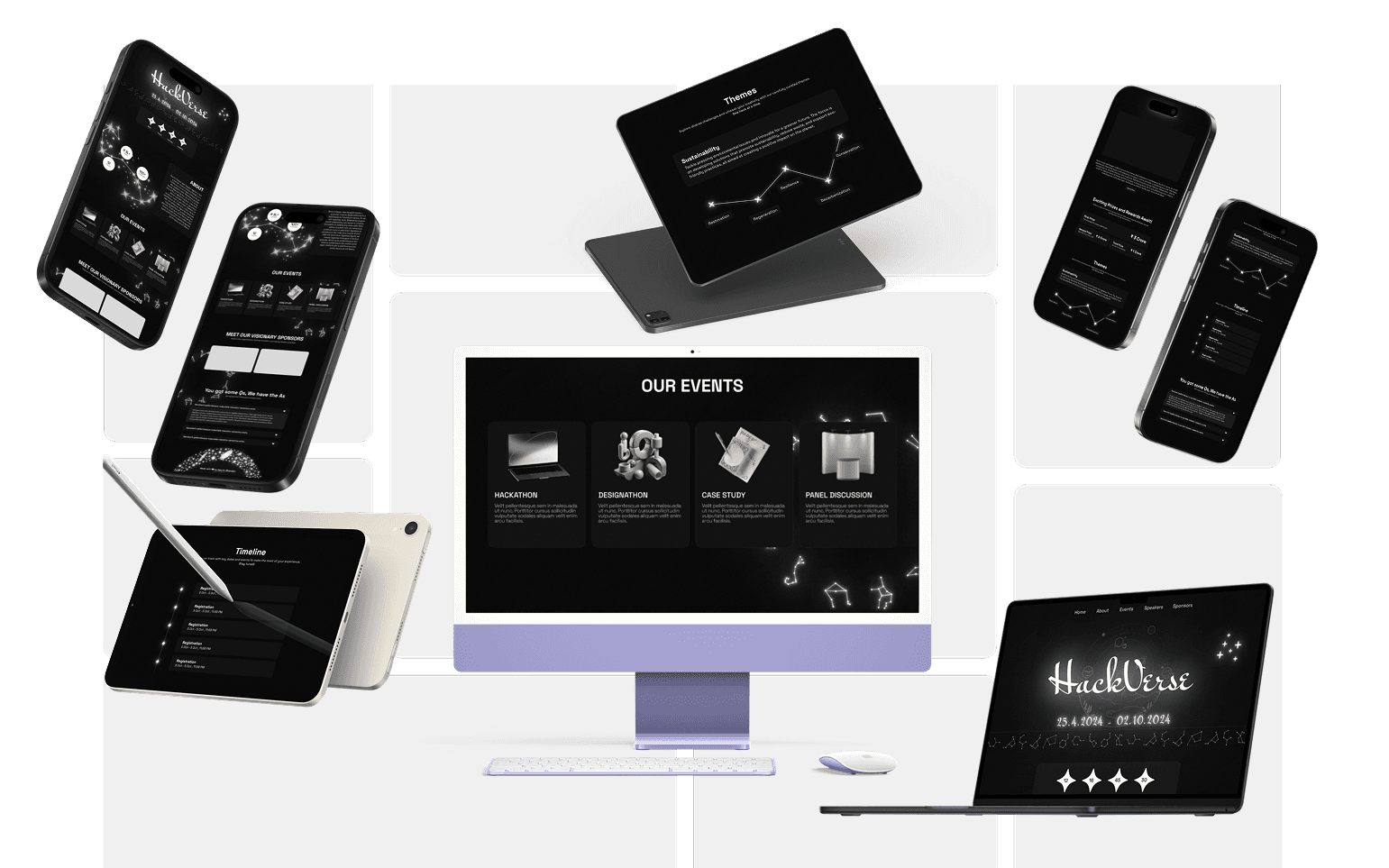

Recent Designs
Recent Designs
Let's Connect
Passionate about crafting user experiences.
Ready to join your team
Phone
+91 82876 93428
aajaykrbhandari@gmail.com
Let's Connect
Passionate about crafting user experiences.
Ready to join your team
Phone
+91 82876 93428
aajaykrbhandari@gmail.com
Let's Connect
Passionate about crafting user experiences.
Ready to join your team
Phone
+91 82876 93428
aajaykrbhandari@gmail.com
ExpenWise: Expense Management App Design
ExpenWise: Expense Management App Design
Project Overview
Project Name: ExpenWise – Expense Management App Design
Type: Mobile App
Role: UI/UX Designer
Tools Used: Figma
Made By:
Ajay
Ajay
Problem Statement
Managing daily expenses is often chaotic, and most existing apps are either too complex or too minimal to be effective. Users struggle with tracking unwanted expenses, monitoring transactions, and getting a clear picture of their spending habits.
Goals & Objectives
Goals:
Design a simple yet powerful mobile app for tracking expenses.
Make transaction management quick, intuitive, and visually clear.
Provide actionable insights to help users control unnecessary spending.
Objectives:
Research how people currently track daily expenses and identify pain points.
Create a clean, intuitive interface that balances simplicity and functionality.
Implement features for easy transaction categorization, recurring expense tracking, and quick data entry.
Include visual reports and insights to help users make better financial decisions.
Validate the design through usability testing.
Research Process
Methods:
Competitive analysis of popular expense-tracking apps.
Interviews with 5 users who track expenses manually or digitally.
Key Findings:
Users dislike cluttered dashboards.
Quick add functions are crucial for adoption.
Visual summaries (charts) are preferred over long lists of numbers.
Design Thinking Approach
Empathize: Listened to users’ struggles with tracking small daily expenses.
Define: Key problems included app complexity, poor categorization, and lack of insights.
Ideate: Sketched user-friendly flows for adding, viewing, and analyzing expenses.
Prototype: Designed high-fidelity mobile screens in Figma.
Test: Collected feedback to refine navigation and data visualization.
User Persona
Name | Ananya Mehta |
|---|---|
Age | 27 |
Location | Bengaluru, India |
Description | A working professional who wants to track spending effortlessly and avoid unnecessary purchases. |
User Goals | • Quickly add daily expenses • View spending summaries • Set monthly budgets |
Frustrations | • Complicated interfaces in finance apps • No reminders for recurring expenses • Hard to analyze where money goes |
Tracking Frequency | Daily |
Tech Comfort | High |
Device Usage | Mobile only |
User Journey Map
Stage 1 – Onboarding
Ananya downloads ExpenWise hoping it will make expense tracking easier. The onboarding flow is simple, explaining features clearly. “This seems quick to set up.”
Design Opportunity: Keep onboarding minimal and skip-friendly.
Stage 2 – Adding Expenses
She makes a purchase and logs it instantly via the “Quick Add” button.
Design Opportunity: One-tap entry with category tagging for speed.
Stage 3 – Tracking & Reviewing
She checks her dashboard to see spending patterns. The pie chart instantly shows her overspending on dining out.
Design Opportunity: Visual summaries for quick understanding.
Stage 4 – Monthly Insights
At month’s end, she reviews her expense report and adjusts her budget for the next month.
Design Opportunity: Provide easy-to-read reports with suggested savings tips.
Final Design & Features
Quick Add for instant expense logging.
Categorization & recurring expense reminders.
Interactive dashboard with charts and budget indicators.
Outcomes & Impact
Reduced average time to log an expense to under 5 seconds.
Increased user retention in testing due to clean interface and visual insights.
Conclusion
ExpenWise was designed as a complete, end-to-end expense management app that prioritizes speed, clarity, and insights. By simplifying the logging process and providing visual financial summaries, the app empowers users to take control of their spending habits and make informed financial decisions.
Recent Designs
Recent Designs
Recent Designs
Let's Connect
Passionate about crafting user experiences.
Ready to join your team
Phone
+91 82876 93428
aajaykrbhandari@gmail.com
Let's Connect
Passionate about crafting user experiences.
Ready to join your team
Phone
+91 82876 93428
aajaykrbhandari@gmail.com
Let's Connect
Passionate about crafting user experiences.
Ready to join your team
Phone
+91 82876 93428
aajaykrbhandari@gmail.com